
Download WikSpeak – English Pronunciation Tool, Phonetic Transcription, Audio Pronunciation
Overview
WikSpeak is a specialized mobile application designed to support English language learners in refining their pronunciation skills through accurate phonetic transcriptions and audio examples. The app serves as a practical tool for users seeking to improve spoken fluency by providing immediate feedback on how words should be pronounced. It is particularly beneficial for students, language enthusiasts, and professionals who rely on clear communication in English. By integrating linguistic data from reputable sources such as wordreference.com and learnersdictionary.com, WikSpeak ensures its content is reliable and consistent with established language standards.
The app addresses a common challenge in language learning: the gap between reading a word and knowing how to say it correctly. With its dual-mode functionality, WikSpeak accommodates both deliberate study and passive learning during daily tasks. For instance, a user reading an article may copy a new word to the clipboard, and the app automatically transcribes it—ideal for on-the-go learning. Similarly, someone practicing pronunciation can manually input a word and listen to its correct articulation. This dual approach supports diverse learning styles and enhances retention through repetition and active engagement.
Although the developer did not provide additional technical details, the app's longevity—first released in 2010—suggests a stable and enduring utility. Its niche focus on pronunciation makes it a valuable addition to the language learning ecosystem, especially for users who prioritize auditory and phonetic accuracy over gamified or interactive methods.
Key Features & Functionality
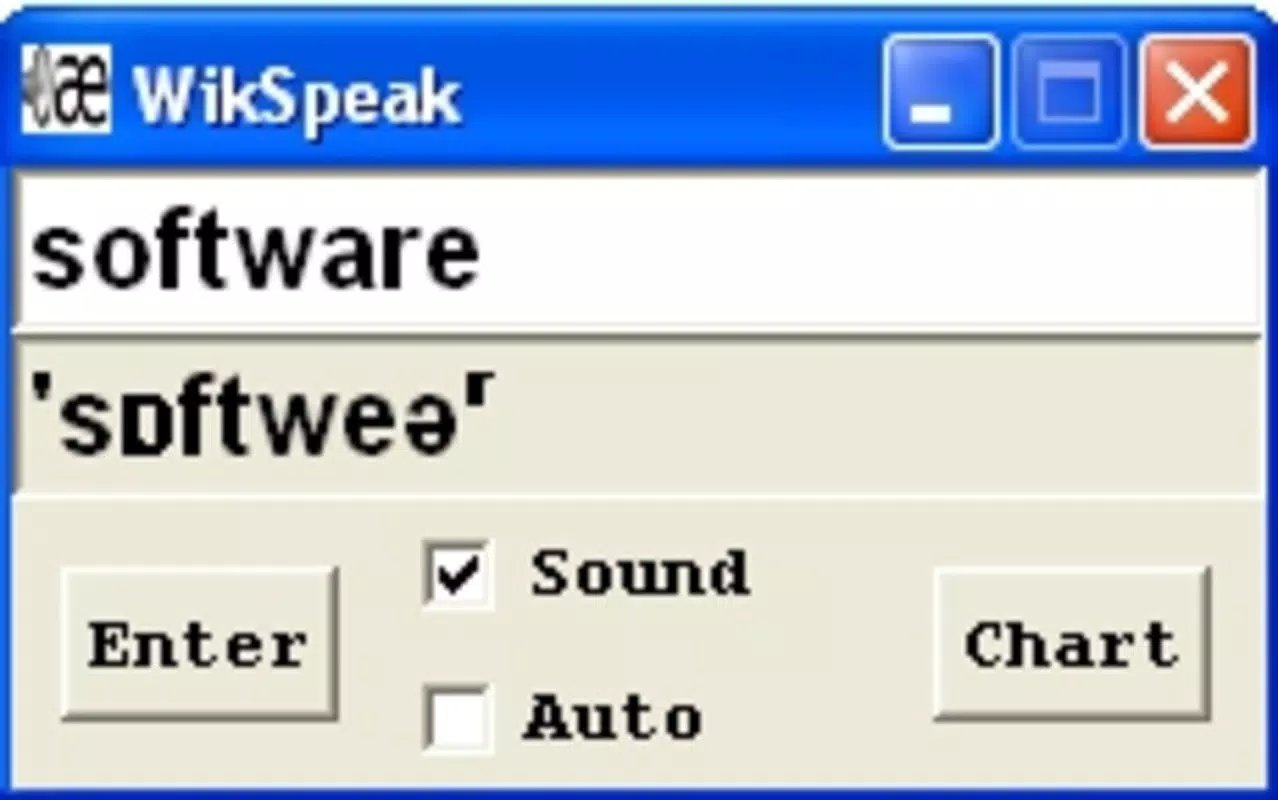
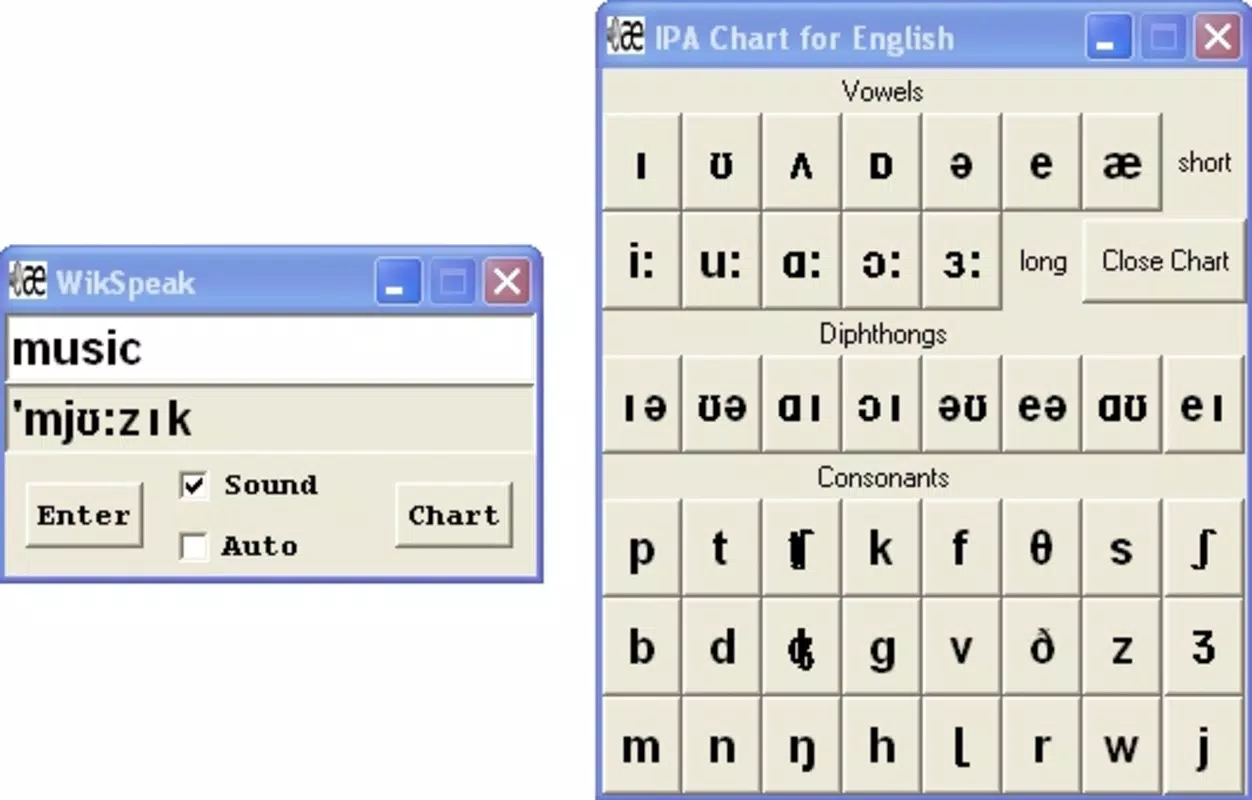
- Manual Input Mode: Users can type any English word into a text box and receive instant phonetic transcription. This feature is ideal for focused practice, allowing learners to test their own pronunciation against the app’s standardized output.
- Automatic Clipboard Mode: The app monitors the device’s clipboard and automatically transcribes any copied word. This hands-free functionality enables seamless integration into reading, note-taking, or browsing workflows.
- Phonetic Transcriptions from Trusted Sources: WikSpeak pulls its phonetic representations from wordreference.com, a well-established linguistic platform. This ensures accuracy and consistency with international English pronunciation standards.
- Audio Pronunciation from LearnersDictionary.com: The app downloads spoken examples from learnersdictionary.com, offering clear, native-speaker audio clips that reflect standard pronunciation, including stress and intonation patterns.
- User-Friendly Interface: The design emphasizes simplicity and speed. Navigation is intuitive, with minimal distractions, allowing users to focus on learning without technical barriers.
For example, a user reading a news article may copy the word “independent” and instantly see its phonetic spelling [ˌɪn.dɪˈpɛn.dənt] and hear the correct pronunciation. This real-time support enhances comprehension and builds confidence in spoken English. Another user preparing for a presentation might manually enter complex terms to rehearse their delivery. The combination of visual and auditory feedback creates a multi-sensory learning experience that reinforces correct pronunciation habits over time.
Interface, UX & Performance
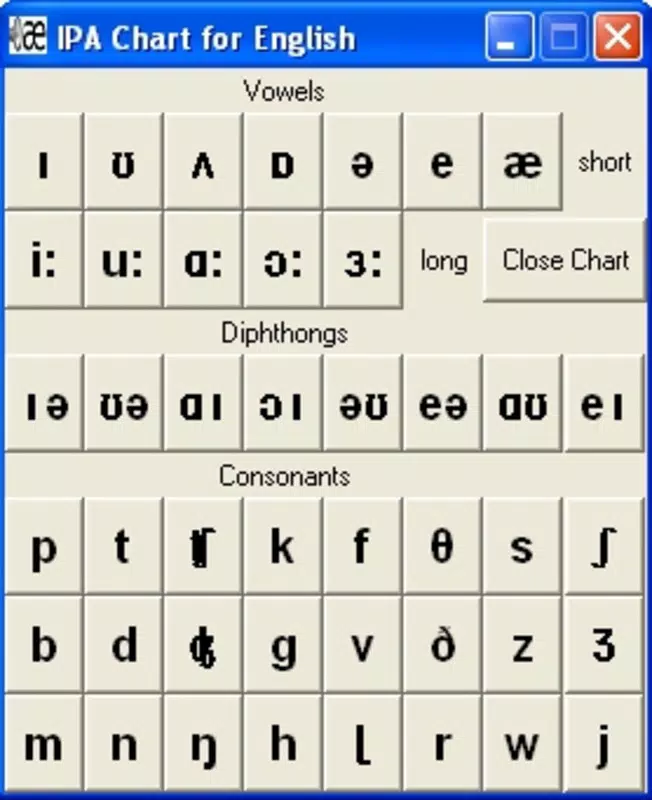
WikSpeak features a clean, minimalist interface that prioritizes functionality over visual embellishment. The layout centers around a single input field, with clear labeling and immediate feedback upon entry or clipboard detection. Navigation is straightforward, requiring minimal interaction to achieve core tasks. The app’s responsiveness is consistent across device types, though the developer did not list formal performance metrics.
Although the developer did not specify minimum OS requirements or device compatibility, the app appears to function efficiently on standard smartphones. The interface adapts well to different screen sizes, maintaining readability and usability. Users report smooth transitions between modes and stable operation during extended use. The app does not display intrusive ads or unnecessary pop-ups, contributing to a distraction-free experience.
Performance on older or lower-end devices may vary, but no specific limitations were mentioned. The audio playback is reliable, with minimal lag between request and delivery. The app does not consume excessive battery or memory, suggesting efficient background processing. Overall, the user experience is streamlined and focused on its primary purpose: accurate pronunciation support.
Platform Compatibility & Technical Requirements
WikSpeak is available on Android and iOS platforms, supporting both major mobile operating systems. The current software version is not specified, and the app’s file size was not disclosed. The developer did not provide minimum OS requirements or device specifications.
Compatibility information was not fully disclosed, so users should verify system compatibility through their respective app stores. The app’s reliance on external web services for phonetic and audio data suggests a stable internet connection is necessary for full functionality. Updates may be required to maintain access to source content, particularly if the underlying platforms change their API or content delivery methods.
Pros and Cons
Pros
- Accurate phonetic transcriptions sourced from established linguistic platforms.
- High-quality audio pronunciations from learnersdictionary.com.
- Two flexible modes: manual input and automatic clipboard monitoring.
- Simple, intuitive interface suitable for users of all ages.
- Supports real-time, on-the-go language learning without interruptions.
Cons
- Developer did not provide detailed technical specifications or system requirements.
- File size and version information were not disclosed.
- Reliance on external websites may affect performance if those services are unavailable.
- No offline mode was mentioned, requiring constant internet access.
- App updates or maintenance details were not shared.
FAQ
Is WikSpeak free to download and use?
The app’s pricing model was not specified. Users should check the official app store listing for current pricing and availability.
Can I use WikSpeak without an internet connection?
Since WikSpeak retrieves phonetic and audio data from external websites, it requires an active internet connection to function fully. No offline mode was mentioned.
Does WikSpeak support languages other than English?
The app is designed specifically for English pronunciation. No information was provided about support for other languages.
How often does WikSpeak update its content?
Update frequency was not disclosed. The app relies on external sources, so changes may occur when those platforms are updated.
Is WikSpeak safe to install on my smartphone?
WikSpeak is available through official app stores, which typically enforce security checks. The app does not request unusual permissions, and no security risks were reported.
Final Thoughts
WikSpeak stands out as a focused, no-frills tool for anyone serious about improving English pronunciation. Its dual-mode functionality—manual input and automatic clipboard detection—offers flexibility for both structured study and passive learning. By leveraging data from trusted linguistic sources, it delivers accurate phonetic and audio feedback, making it a reliable companion for language learners at any level.
While the app lacks detailed technical information and does not support offline use, its core functionality remains strong and purpose-built. Users who value precision and simplicity over flashy design will find WikSpeak to be a valuable asset in their language journey. For those looking to master pronunciation with confidence, the app provides a direct, efficient path to better spoken English.
Download WikSpeak now


